Comments and mentions
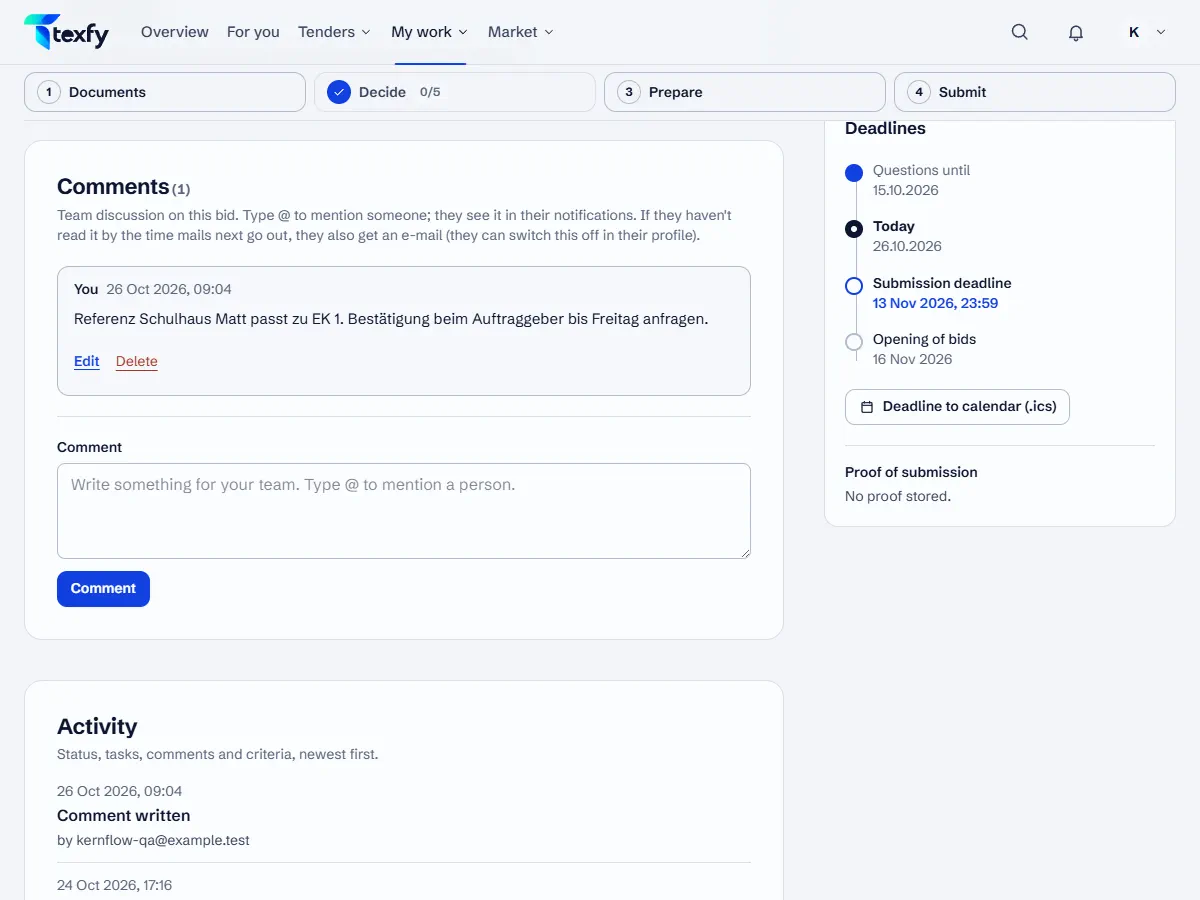
Every bid has comments for coordinating in your team, right next to deadlines, criteria and tasks.
 Open the picture at full size (new tab)
How it works
- 1
Write a comment
Open a bid, write under Comments and choose “Comment”. Everyone in the team sees the comment.
- 2
Mention people
Type @ and choose a person from your team. They see the mention under Notifications. If they have not read it by the next mail run, they also get an e-mail.
- 3
Edit and delete
You can edit and delete your own comments. A deleted comment disappears for the whole team; the activity keeps a record that a comment was written.
Good to know
- You switch off the e-mail for mentions under Profile › Notifications, in your own e-mails. The notification stays.
Questions about this
Who can comment?
Everyone in the team allowed to edit bids: the owner, admins and members.