Search profile and fit
Your search profile says what your company offers and where. “For you”, the notifications and the digest are built from it.
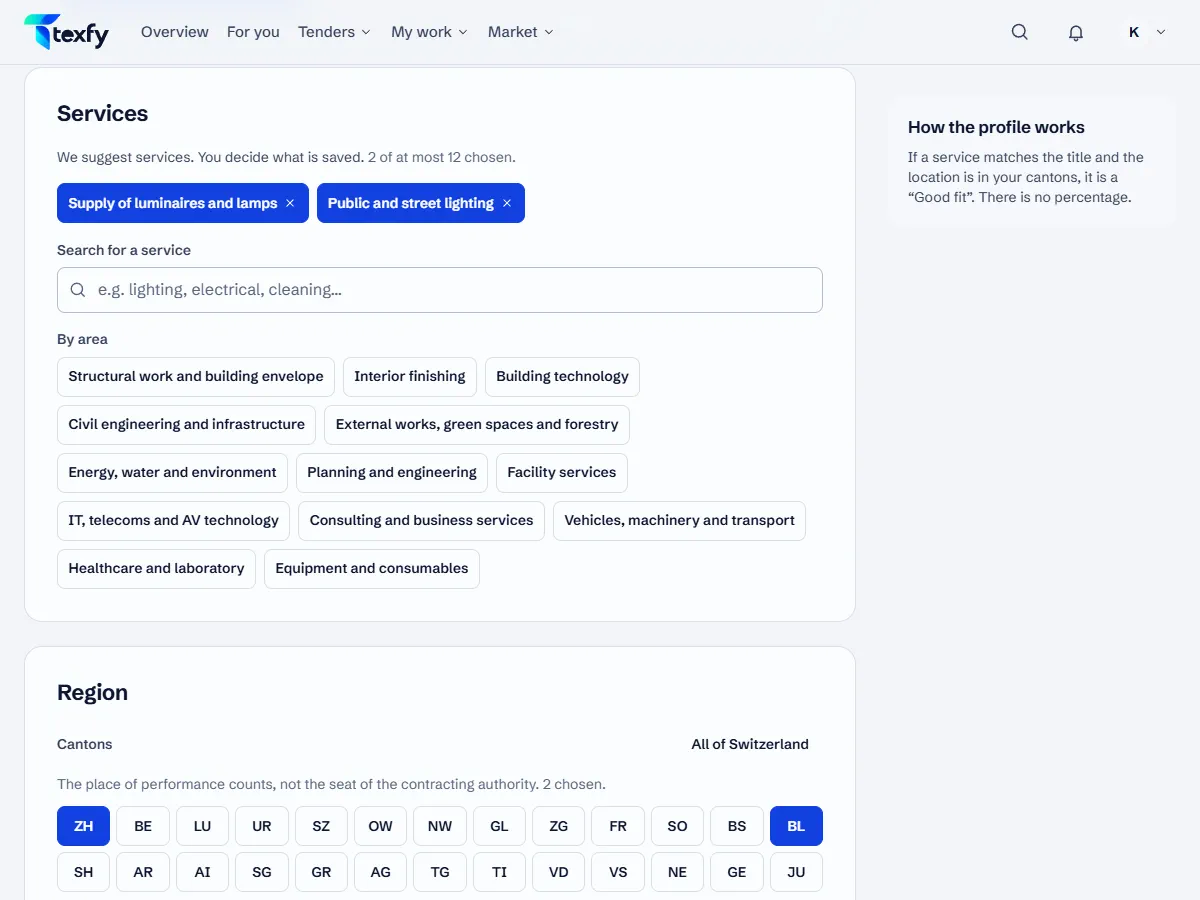 Open the picture at full size (new tab)
How it works
- 1
Set up your company
After signing up, the setup takes you through three steps: company, services and region. From the description of your company we suggest services and cantons; only what you choose is saved.
- 2
Choose your services
Choose up to 12 services, grouped into supplies, construction and services. Also say whether your company mainly supplies, carries out work or both. A service that does not fit this type brings no results; the profile points this out.
- 3
Set your region
Choose the cantons you work in; no choice means all of Switzerland. What counts is where the work is done, not where the contracting authority is based. On request, “For you” also shows matching work from abroad that Swiss companies may bid for.
- 4
Change the profile
Under Profile › Search profile you change services and region at any time. Once saved, the profile takes effect at once on “For you”, the digest and the notifications. The owner and admins can change it, members see it.
- 5
How the fit is worked out
The fit compares your services and cantons with the title, text, codes and place of a tender. “Good fit” means: service recognised and place in your region. “Possible fit” means: part of it fits, the reasons are shown. There is no percentage.
Good to know
- A few precise services give you fewer results to sift through than many broad ones.
- If your team marks a service as not relevant several times, “For you” suggests removing it from the profile; what someone hides for themselves only does not count. The profile only changes when you save it.
Questions about this
Why is a tender missing that should fit?
Check that the service is chosen in the profile and fits the type (supply, carry out or both) and that the place is in your cantons. With your service in another place, it appears in “For you” under “Outside your region” if you show that part. Open tenders without a filter on your profile are under Tenders.
How often do new tenders come in?
We read the tenders of simap.ch every day at 08:05, 12:00 and 18:00.