E-mails, data and account
In the profile you set which e-mails you get, download your data and delete your account if you need to.
 Open the picture at full size (new tab)
How it works
- 1
Company e-mails
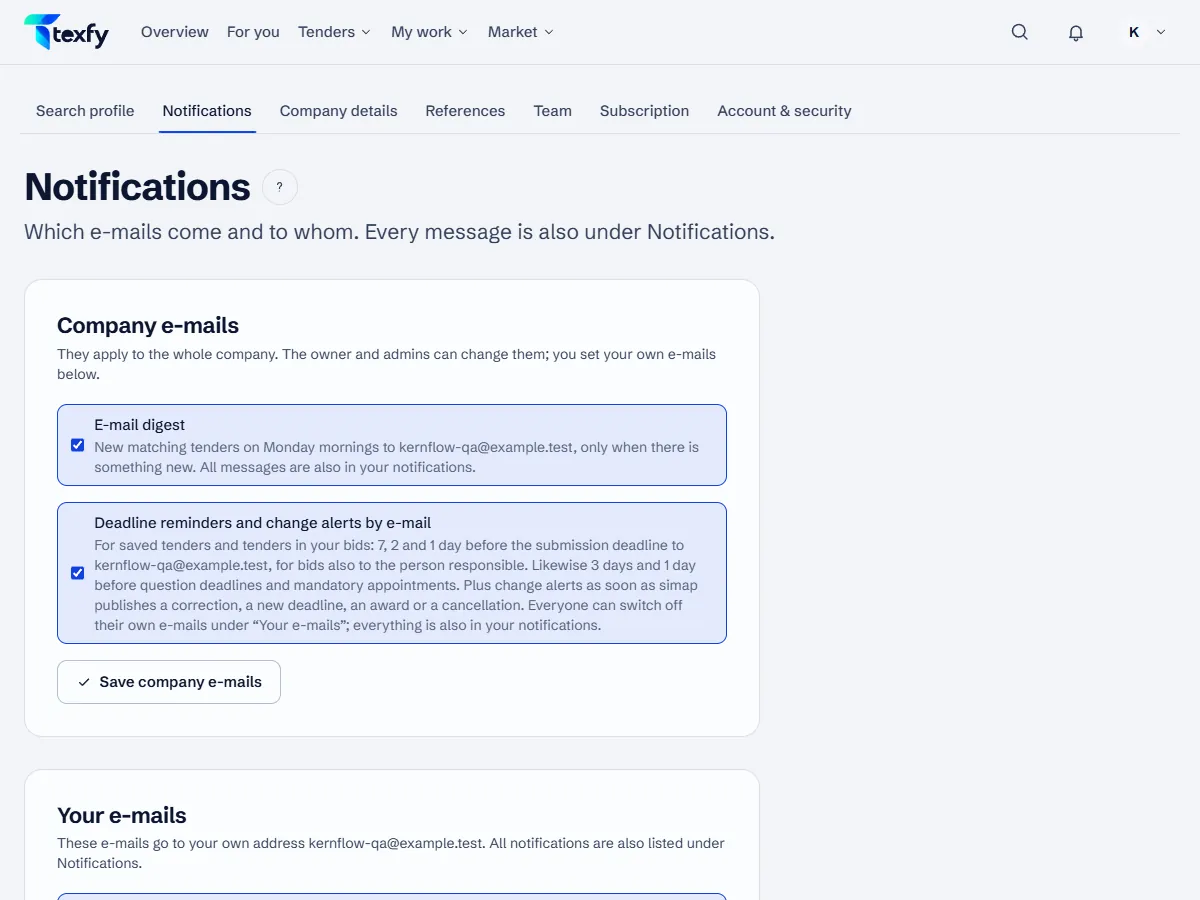
Under Profile › Notifications the owner and admins switch the digest and the deadline reminders and change alerts by e-mail on or off for the whole company.
- 2
Your own e-mails
Below that, each person sets their own e-mails, such as deadline reminders, “Tasks and assignments” and “Mentions in comments”; members also switch on a personal digest there. All messages are also under Notifications.
- 3
Unsubscribe by link
The e-mails have an unsubscribe link at the bottom. It works without signing in.
- 4
Export data
“Export data” downloads your account data and the data of your company that is available to you, as a JSON file.
- 5
Delete account
“Delete account” removes your account for good; if you are the only member, also the company and its data. An e-mail confirms it. Cancel a running subscription first; deletion is possible from the end of the paid period, earlier through info@texfy.ch, without a pro rata refund; as an owner with other members, transfer the owner role first.
Good to know
- Which data we store, where it is kept and for how long is in the privacy policy.
- Two-factor sign-in, passkeys and signed-in devices are explained in the topic “Sign-in and security”.
Questions about this
Can I unsubscribe from the digest without signing in?
Yes, with the link at the bottom of the digest e-mail.